

Do you know the process of unlocking Google Pixel for any network? Perhaps you’re seeking a legit way to unlock Google Pixel 10 Pro XL, Pixel 10 Pro, Pixel 10 Pro Fold, Pixel 10, Pixel 9 Pro XL, 9 Pro, 9 Pro Fold, 9, 8 Pro, 8, 8A, 7 Pro, 7, 7A, 6 Pro, 6A, 6, 5A, 5, 4XL, 4A, 4, 3XL, 3A XL, 3A, 3, 2XL, 2, XL, 1 & Fold. Remember that when you switch from one carrier to another (such as from AT&T; to Verizon or from Verizon to T-Mobile), you must own a SIM-locked device.
But regardless of your Google Pixel phone’s model, it’s easy to unlock the handset. We have listed a step-by-step guide that you follow to unlock your device for any carrier in the world. Any carrier is supported including: AT&T, Verizon, T-Mobile, Sprint, Boost, Xfinity, Spectrum, Tracfone, International carriers & any other.
Why Unlock Google Pixel (All Models) Remotely Via USB
The main reason you must unlock Google Pixel to any network is to overcome the network restriction present on your phone. With the removal of this restriction, you’ll be able to put SIM cards from every mobile carrier into your Pixel device.
There are many benefits of unlocking your handset, including elimination of long-term obligations and costly plans. Besides that, you gain other advantages:
- Your Pixel handset’s value will increase compared to when it had the network restriction. You can sell it for 30%-40% more money after the unlock.
- You can call or SMS anyone from any SIM without fearing that your device will get relocked.
- You can skip expensive roaming charges. Unlocking grants you the ability to use the local SIMs of the carriers in the countries you visit.
Steps to Remotely Unlock Google Pixel 10 to 1 (All Carriers are Supported)
Unlocking a Pixel handset on a remote session is not difficult. You can follow the instructions below to make your device SIM-free forever:
1Open our Google Pixel unlocking page in your web browser and select Google Pixel Remote Unlock. Scroll up or click here to start.
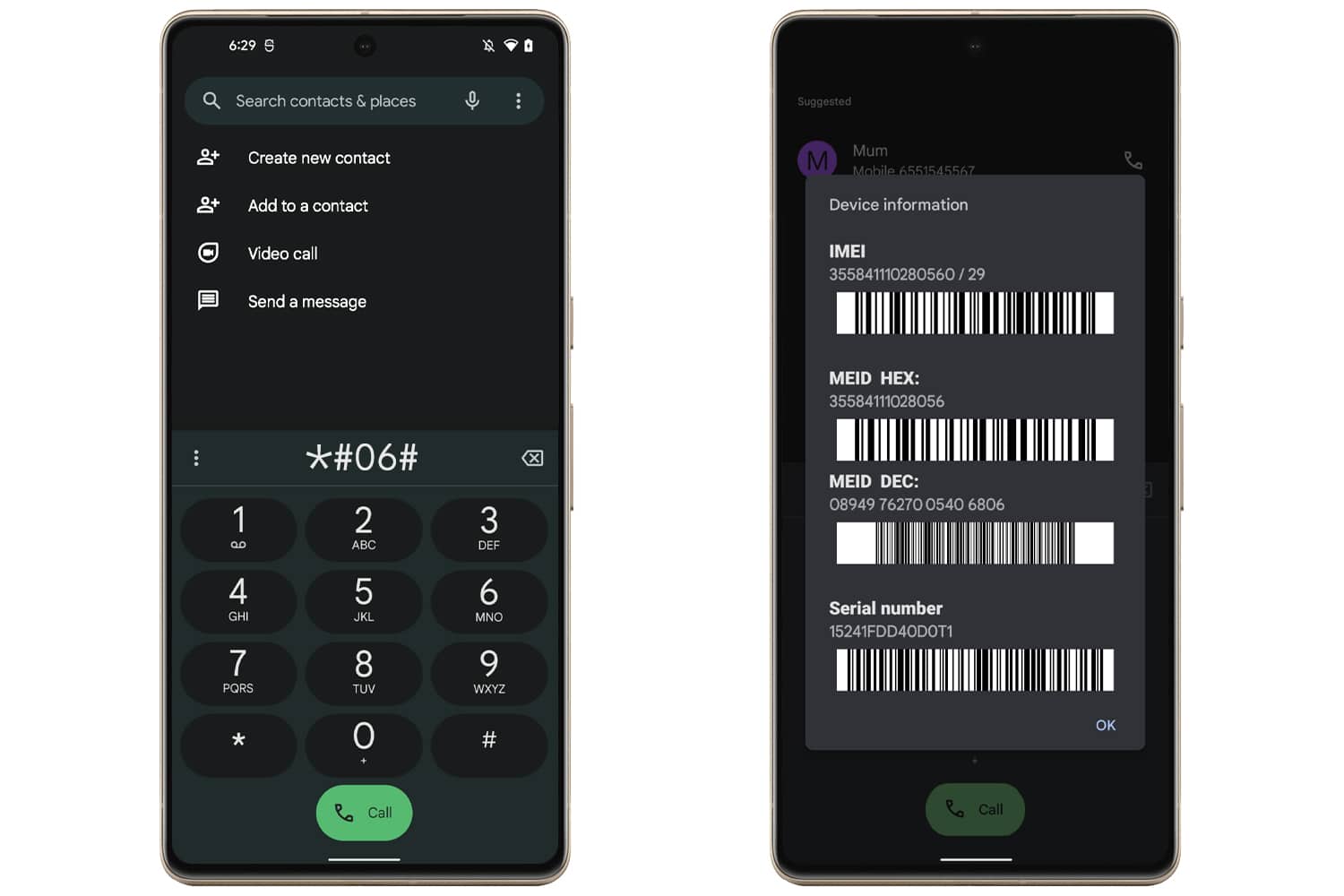
2Get the IMEI number of your device. We require this for the purpose of status verification. Go to Settings > About on your device or dial *#06# to see the IMEI.
3Now go to the checkout page and enter your actual contact info. Then select a payment provider and proceed with paying for the unlock.
4Once we receive the order, we’ll send you an email containing the instructions to be followed. The process involves working with an UnlockBoot technician to make the Pixel device SIM-free.
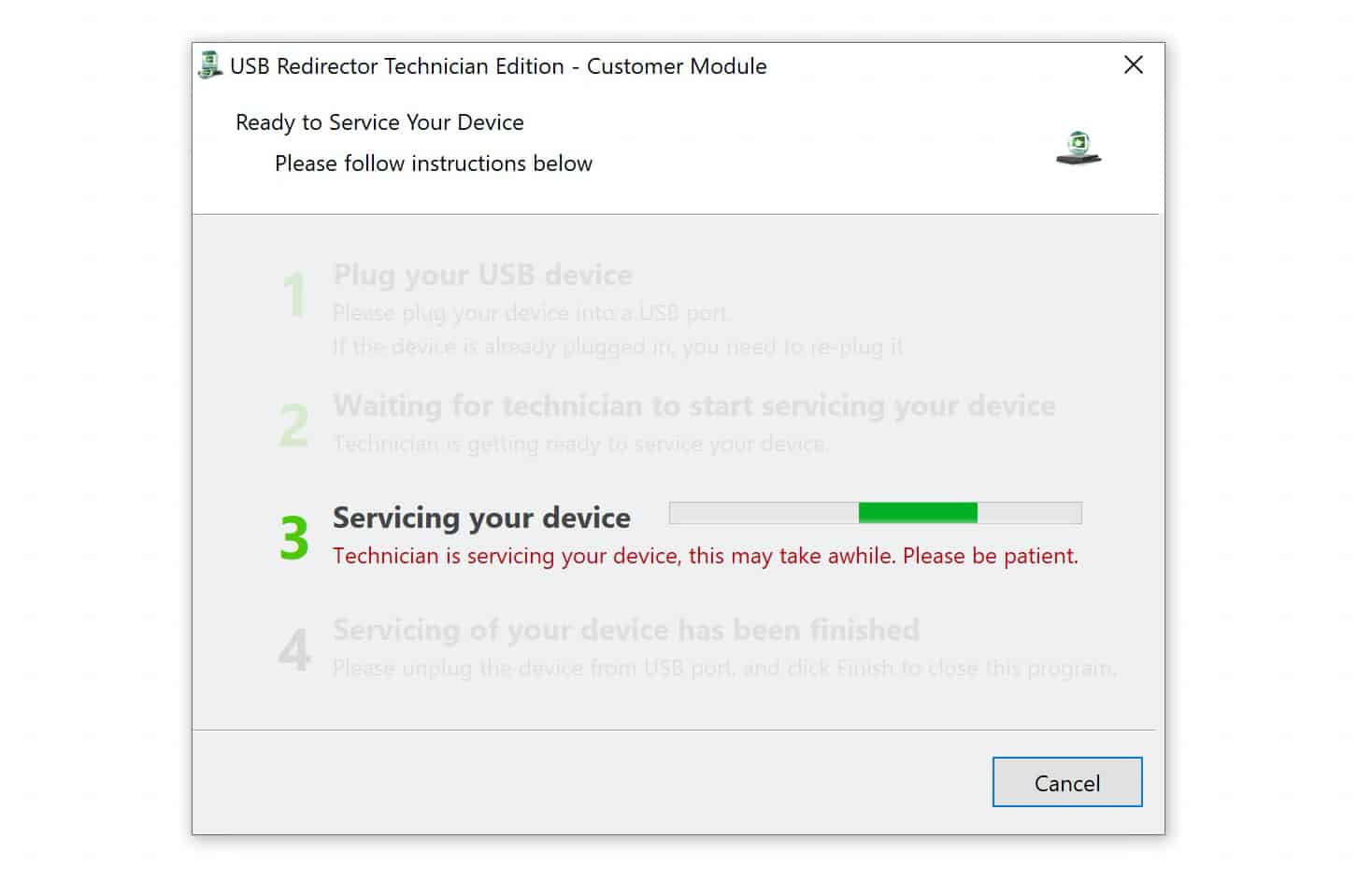
For fast unlocking, we advise you to contact us via live chat after order confirmation.
Depending on how tech savvy you are and your connection speed, it would take between 5 and 10 minutes to perform the unlock. Please note that a Windows PC (11/10/8/7) is required for the process.
This is a permanent unlock service – You can Update, Factory Reset, etc. your device will remain factory unlocked forever.
Reviews
There are no reviews yet.